Best Monte Carlo Retirement Calculators Compared (2026)
If you're serious about retirement planning, you've probably moved past the basic "multiply your expenses by 25" calculation. Monte Carlo simulation is the next step — it models thousands of different market scenarios to show you how likely your plan is to survive.
But not all Monte Carlo calculators are equal. In 2026, the differences between tools are significant — and the features they leave out can cost you hundreds of thousands of dollars in suboptimal decisions.
What Makes a Good Monte Carlo Retirement Calculator

Run your own numbers — FREE
10,000 Monte Carlo simulations. Forward-looking forecasts from BlackRock, JPMorgan, Vanguard, GMO, Schwab, Invesco. No account needed.
Try QuantCalc Free →Before evaluating any specific tool, here's what separates a useful Monte Carlo simulator from a toy:
- Number of simulations. More scenarios = more reliable probability estimates. 50 is a rough sketch. 10,000 gives you statistical confidence.
- Return assumptions. Does it use historical averages only, or can you compare forward-looking assumptions? Historical data tells you about the past. Forward estimates from major asset managers reflect what markets are pricing today.
- Asset allocation flexibility. Can you model a glide path (shifting from stocks to bonds as you age)? Multi-period allocation? Or just a static 60/40?
- Tax awareness. Does it know the difference between a Roth IRA and a Traditional IRA? Can it model ACA subsidy cliffs or IRMAA brackets?
- Withdrawal modeling. Fixed percentage? Dynamic spending? Does it handle Social Security timing, pensions, and part-time income?
Run your own numbers in the free calculator →
The Categories of Monte Carlo Tools
Historical Backtesting Tools
Some free tools use actual historical return sequences rather than randomized Monte Carlo draws. They run your plan through every historical starting year since the 1870s.
Strengths: Captures real-world sequence-of-returns risk. Uses actual market data, not assumptions.
What to check: Historical backtesting reproduces past sequences. If you think the next 30 years might look different from 1871-2025 — higher inflation, a different rate environment, a different equity risk premium — check whether the tool also lets you set forward-looking assumptions, and whether taxes and additional asset classes are supported.
Typical use: A second opinion alongside a forward-looking Monte Carlo tool.
Comprehensive Planning Platforms
Some tools offer Monte Carlo as one feature within a broad retirement planning suite — account linking, budgeting, Social Security optimization, estate planning, and more.
Strengths: Wide feature set. Good for people who want an all-in-one dashboard.
What to check: which features sit in paid tiers (see each vendor’s pricing page), how many simulations are run, and whether forward-looking forecast comparisons across multiple sources are described.
Typical use: Broad retirement planning in one dashboard.
Brokerage-Provided Tools
Major brokerages offer built-in retirement planners that pull your actual balances automatically.
Strengths: Convenient. Real-time balance integration.
What to check: whether the return assumptions are published and can be changed, and whether tax, ACA or IRMAA handling is described.
Typical use: Quick estimates for existing customers.
Standalone Monte Carlo Simulators
Purpose-built Monte Carlo tools that focus on simulation depth, forward-looking forecasts, and tax-aware modeling.
Strengths: Deeper simulation capabilities. More customization. Often include features like portfolio optimization, stress testing, and advanced tax modeling.
What to check: Whether you also need account linking or budgeting features alongside the simulator.
Typical use: DIY planners who want simulation depth and control over assumptions.
QuantCalc: Forward-Looking Monte Carlo with Tax-Aware Modeling
Full disclosure: this is our tool. Here's what it does and doesn't do.
Monte Carlo capabilities: Runs up to 10,000 simulations per plan. Uses correlated asset class returns (stocks, bonds, REITs, international) rather than independent random draws.
What's different:
- Forward-looking forecast comparisons. Run your plan using forward estimates from CME futures-implied rates, plus assumptions derived from publicly available research by BlackRock, JPMorgan, Vanguard, and GMO. See how your success rate changes depending on whose assumptions you trust.
- Portfolio optimizer. Mean-variance optimization finds the asset allocation that maximizes your success rate given your specific inputs, rather than guessing at a 60/40 or 80/20 split.
- Multi-period asset allocation. Model glide paths — automatically shift from aggressive to conservative as you approach and enter retirement.
- ACA cliff awareness. The ACA Calculator at quantcalc.app/aca models MAGI optimization, 400% FPL cliff detection, IRMAA bracket impacts, and Roth conversion strategy — all in one tool.
- Stochastic inflation. 4 models (AR(1), multi-category, regime-switching, per-asset coupling) — not a fixed 3% assumption.
- Stress testing. 8 named crisis scenarios plus custom shock modeling. Breaking point finder identifies your plan's exact failure threshold.
- Life event modeling. Property purchases, income changes, inheritance, healthcare cost shifts — stress-tested across 10,000 simulations.
- PDF report export. Generate a white-label report for advisor use or personal records.
Limitations: QuantCalc is a simulation and analysis tool, not a comprehensive financial plan. It doesn't pull balances from your brokerage automatically. It doesn't do estate planning or insurance analysis. If you want an all-in-one dashboard, comprehensive planning platforms cover more ground.
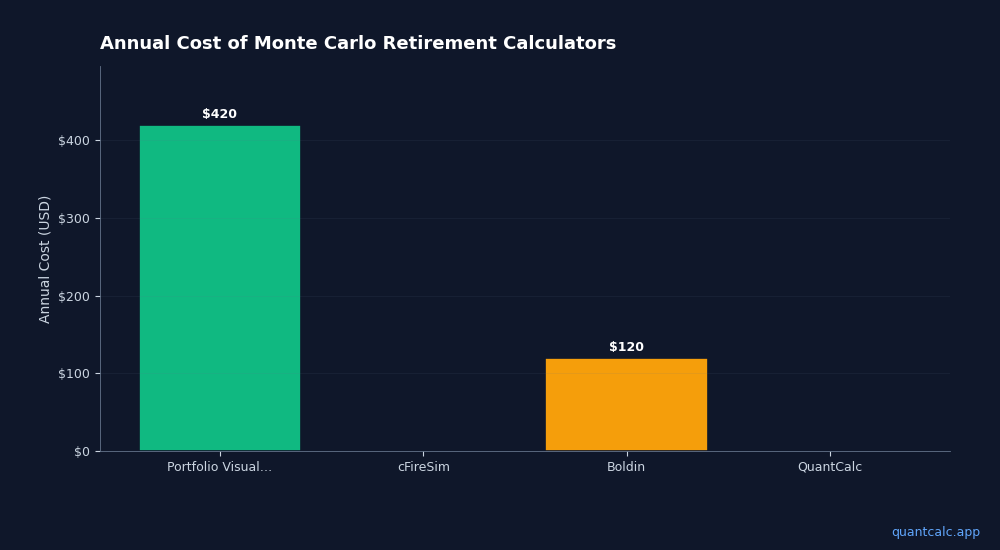
Price: Free tier (100 simulations per run, 3 runs/day). Personal PRO: $49 one-time (lifetime access). Advisor PRO: $129/month.
How to Choose
If you want free and simple: A historical backtesting tool gives you a solid second opinion. QuantCalc's free tier gives you probabilistic Monte Carlo with forward-looking forecasts.
If you care about current market conditions: QuantCalc lets you compare six published forward-looking forecasts side by side. In a year where rate paths and inflation projections are shifting rapidly, using decades-old data as your baseline is not enough.
If you want an all-in-one retirement dashboard: Comprehensive planning platforms bundle many features in one place; see each vendor’s pricing page for plans.
If you're an early retiree managing ACA subsidies: QuantCalc's ACA calculator is purpose-built for the cliff problem and integrates MAGI optimization with retirement simulation.
If you're a financial advisor: QuantCalc's PDF export and white-label reporting serve this use case.
The right answer depends on what matters most to you. Many tools have free tiers — try two or three and see which one fits how you think about your plan.
Disclosure: This comparison was written by the QuantCalc team. We've tried to be fair and accurate about all tool categories listed. If you spot an error, contact us at [email protected].