Best Retirement Calculators 2026: Free Planning Tools Compared
The best retirement calculators in 2026 share three must-have features: Monte Carlo simulation (thousands of randomized return sequences, not one average), inflation adjustment, and tax awareness. Tools that assume a flat 7% return every year can swing your projected lifetime outcome by $500,000 or more. This guide walks through each category of free planning tool, the hidden assumptions that matter, and how to choose the right one. Run a free 10,000-scenario simulation at quantcalc.app.
You Google "retirement calculator," and you get millions of results. Many are simple tools that assume 7% returns every year and tell you "you're on track!" without accounting for market crashes, inflation variability, or tax considerations.
The difference between a good retirement calculator and a bad one can be $500,000+ in lifetime outcomes. Use the wrong tool, and you might retire too early (running out of money at 80) or too late (dying with $3M you never spent).
This guide explains what makes a great retirement calculator, what categories of tools are available in 2026, and how to choose the right one for your needs.
What Makes a Great Retirement Calculator?

Run your own numbers — FREE
10,000 Monte Carlo simulations. Forward-looking forecasts from BlackRock, JPMorgan, Vanguard, GMO, Schwab, Invesco. No account needed.
Try QuantCalc Free →Before diving into specific tools, here's what to look for:
Must-Have Features
1. Monte Carlo simulation
A single average-return projection hides the range of outcomes. You need Monte Carlo (thousands of simulations with randomized return sequences) to see your actual probability of success.
(Learn more about Monte Carlo simulation)
2. Inflation adjustment
Your $50k/year spending today will be $90k+ in 30 years. Tools that ignore inflation are dangerously optimistic.
3. Tax awareness
Withdrawals from traditional IRAs, Roth IRAs, and taxable accounts are taxed differently. Tools that ignore this overestimate your spending power by 15-30%.
4. Asset allocation options
100% stocks, 100% bonds, and 60/40 are completely different risk profiles. Good calculators let you model multiple allocations.
5. Social Security integration
For most retirees, Social Security is 30-50% of income. Calculators that don't account for it are incomplete.
Nice-to-Have Features
- RMD (Required Minimum Distribution) modeling
- Dynamic withdrawal strategies (guardrails, percentage-based)
- Portfolio optimization
- Multiple scenarios (what-if testing)
- Forward-looking forecast data (not just historical averages)
- ACA subsidy cliff modeling
- IRMAA surcharge awareness
- Stochastic inflation modeling
Run your own numbers in the free calculator →
Categories of Retirement Calculators
Free Monte Carlo Simulators
These are purpose-built for probabilistic retirement planning. They focus on simulation depth and may include features like forward-looking forecasts, tax-aware withdrawals, and portfolio optimization. The best ones in this category run thousands of simulations with correlated asset returns and let you compare across multiple forecast assumptions.
Typical use: DIY planners who want probabilistic analysis of their own inputs.
Historical Backtesting Tools
These test your plan against every historical period since the 1870s. They show how your plan would have survived every past market environment — useful for understanding sequence-of-returns risk.
Strengths: Real historical sequences, useful for seeing how a plan would have fared through past crashes.
What to check: whether the tool also offers Monte Carlo, whether taxes are modeled, and whether forward-looking scenarios can be set up.
Typical use: Historical validation as a second opinion.
Dynamic Withdrawal Strategy Tools
Some free tools specialize in testing dynamic spending rules — guardrails, percentage-based, floor-and-ceiling strategies. If you plan to adjust spending based on portfolio performance (rather than withdrawing a fixed amount), these are worth exploring.
Typical use: Testing withdrawal strategies beyond the 4% rule.
Brokerage-Provided Calculators
Many brokerages offer retirement planners to their own customers, typically built around the balances held there.
Strengths: Convenient if your accounts are already there. Useful for quick estimates.
What to check: how much you can customize, whether you need an account there, whether tax-aware withdrawals or forward-looking forecasts are described, and whether the return assumptions are published and can be changed.
Typical use: Quick estimates for existing customers.
Professional Advisor-Tier Platforms
The advisor-facing planning platforms are subscription products sold per adviser seat.
Strengths: Extremely comprehensive. Beautiful client presentations. Tax planning, estate planning, insurance analysis. Monte Carlo simulation.
What to check: access is through an advisor, and the scope may exceed what a DIY plan needs.
Typical use: Planning done together with a financial advisor.
QuantCalc: Where It Fits
URL: quantcalc.app
QuantCalc is a free Monte Carlo simulator designed for the gap between simple calculators and advisor-tier software. Here is what it does:
- Monte Carlo simulation (100 to 10,000 runs depending on tier)
- Multi-period asset allocation with glide path modeling
- Portfolio optimizer (mean-variance, efficient frontier)
- Forward-looking forecasts derived from publicly available research by BlackRock, JPMorgan, Vanguard, GMO, Schwab, and Invesco
- ACA subsidy cliff modeling with MAGI optimization
- IRMAA surcharge awareness with 2-year look-back
- Roth conversion strategy with bracket-fill optimization
- Capital gains harvesting integrated with ACA/IRMAA constraints
- Stochastic inflation (4 models)
- 8 named stress test scenarios plus custom shock modeling
- Life event modeling (property, income changes, healthcare shifts)
- PDF report export with white-label option for advisors
- 51-state tax modeling
- Tax-aware withdrawal sequencing
- No account required, no tracking, no data sold
Free tier:
- 100 Monte Carlo simulations
- Basic features (enough for most people)
- No credit card required
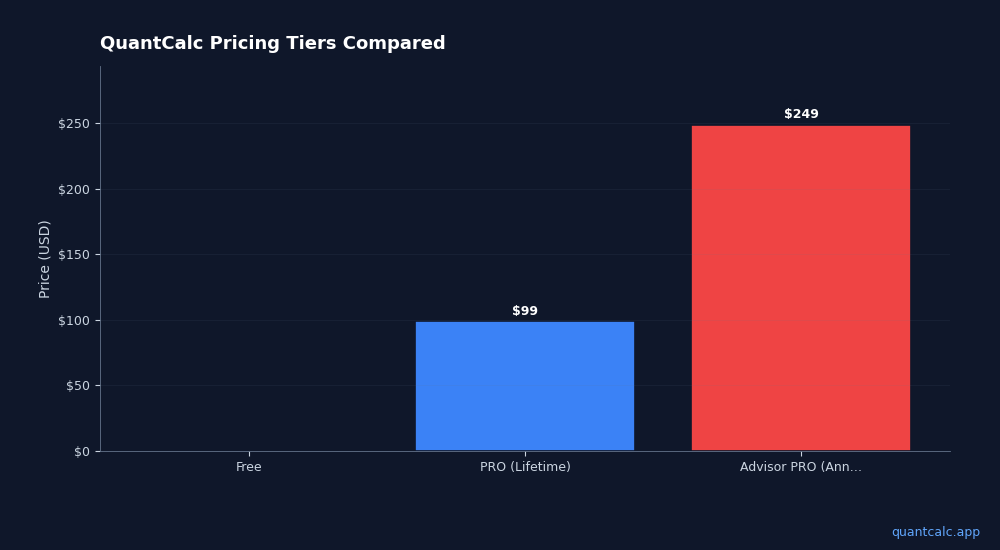
PRO tier ($49 lifetime):
- Up to 10,000 simulations
- Portfolio optimizer
- Forward-looking forecast comparisons
- PDF export
Advisor PRO ($129/month):
- Everything in Personal PRO
- Client-facing reports
- White-label branding
Strengths:
- Full tax-aware engine in the free tier
- Forward-looking forecast comparisons (6 published sources)
- ACA cliff and IRMAA modeling
- Clean, modern interface
- No ads, no account required for basic use
Weaknesses:
- Newer tool
- Advanced features require PRO upgrade
- Does not pull account balances automatically
- No estate planning or insurance analysis
Best for: Anyone who wants detailed retirement modeling without advisor software. Especially valuable for early retirees managing ACA subsidies and tax-aware withdrawals.
How to Choose the Right Calculator for You
If you want free, comprehensive, and DIY:
Use a Monte Carlo simulator with tax awareness and forward-looking forecasts. QuantCalc is built for this category; its documented features are listed above.
If you're a FIRE early retiree who loves data:
Use a historical backtesting tool for validation alongside a Monte Carlo tool for forward-looking analysis.
If you want to test dynamic withdrawal strategies:
Look for tools that support guardrail, percentage-based, and floor-and-ceiling spending rules.
If you work with a financial advisor:
Ask which planning platform they use, and ask to see the assumptions behind the projection they show you.
If you just want a quick check:
Your brokerage's built-in calculator will give you a ballpark.
Common Calculator Mistakes to Avoid
Mistake 1: Using Only One Calculator
Different calculators use different assumptions. Run your plan through 2-3 tools to see if results align.
Mistake 2: Trusting "You're on Track!" Without Seeing Assumptions
Many calculators assume 7-8% returns. In today's market (high valuations, lower forward projections), 5-6% might be more realistic.
Mistake 3: Ignoring Taxes
A calculator that says you need $1M might actually mean you need $1.3M after taxes.
Mistake 4: Not Stress-Testing
Don't just look at "average" outcomes. Check:
- What's your success rate? (should be 85%+ for comfort)
- What's the worst-case scenario (10th percentile)?
- How sensitive are you to early market crashes?
Mistake 5: Set It and Forget It
Rerun your calculations annually. Markets change, your spending changes, tax laws change. Update your plan accordingly.
The Bottom Line
The retirement calculator you choose matters. A lot.
Overly simple calculators give you false confidence. They'll tell you "you're fine" based on 7% returns and no taxes, then you run out of money at 82.
Advisor-facing tools are accessed through an advisor.
What to look for in 2026: A Monte Carlo simulator with tax-aware modeling, forward-looking forecasts, and ACA cliff awareness. QuantCalc is built around those features — free for basics, $49 lifetime for professional features.
Ready to run a professional-grade retirement analysis? Try QuantCalc for free — no credit card, no signup required. Upgrade to PRO for 10,000 Monte Carlo simulations and forward-looking forecasts.
Further Reading: